Trackers
Overview

Trackers Buttons and LEDs
Power Button
-
Short Press: Powers on the tracker
- The R or L LED should turn green.
If both LEDs are blue, the tracker is not connected via Bluetooth:
-
Ensure the headset is ON.
-
Re-pair the tracker: Quit Kiosk Mode on the VR headset and navigate to: Settings → Input → Pair Tracker
-
Long Press: Activates pairing mode (LED blinks blue).
-
Longer Press: Powers off the tracker
- Tip: Hold the button until the LED turns off to avoid entering pairing mode.
Application Button
This button in only used within PROSERVE scenarios.
-
Short Press: Simulates a shot.
- Tip: Use this to verify functionality.
-
Long Press: Initiates the calibration process.
- Tip: Use a short press afterward to confirm the new position.
Left-handed Operation
To switch the trackers between hands:
- Simultaneously press the Application and Power buttons.
- The R and L LEDs will switch sides.
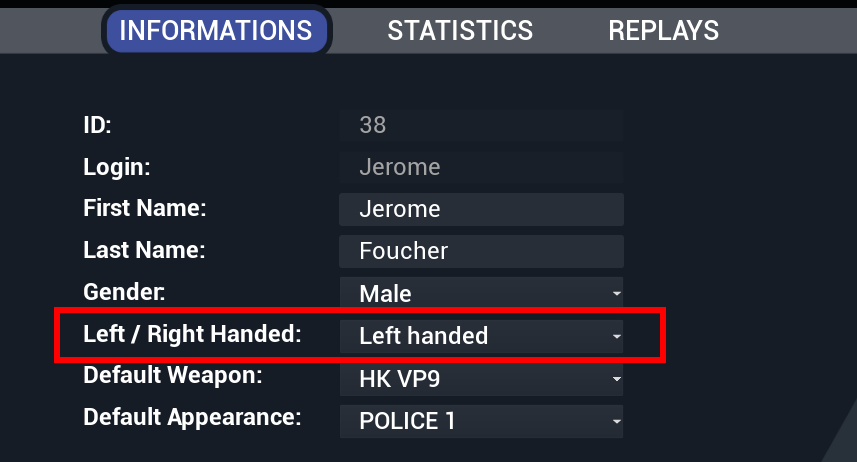
In PROSERVE, update your profile settings to left-handed for correct tracking.
Pairing Trackers
Trackers rarely unpair from the headset, but if this occurs, you can identify the issue by checking the LEDs:
- Blue LEDs: The tracker is not paired with the headset. Follow the steps below to re-pair the tracker.
Re-Pairing Procedure
-
Exit Kiosk Mode
- Long press the side button of the headset (5 seconds) to exit Kiosk Mode.
-
Access Settings
- Open the floating menu and select the settings icon at the bottom.
-
Navigate to Input Settings
- Go to Input > Controllers.
-
Start Pairing
- Select Pair for the unpaired tracker.
-
Activate Tracker Pairing Mode
- Long press the Power Button on the tracker until the LED blinks blue.
-
Confirm Pairing
- Wait for the tracker to pair. The appropriate LED (L or R) should turn solid green based on the tracker’s role.
Switching Tracker Roles
If needed, you can reverse the roles of the trackers (L/R) by pressing both buttons simultaneously on one of the trackers.