Calibration Procedure
1. Launch the Calibration Scenario
Pro Tip: Each scenario will provide a way to calibrate, but the Calibration Scenario is dedicated to this.
2. Wear the Headset
You can activate passthrough vision to move without risking to hurt walls or nearby objects.
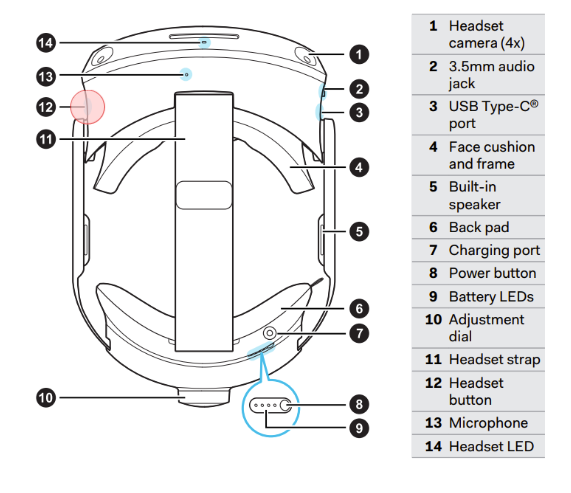
- To switch between VR and Passthrough modes, double press on the button on the left side of the headset. If not pressed fast enough, a menu will open. Simply press the button again to close it and try again.
3. Long press the App Button on the Tracker (Weapon or Wrist)

A message will appear after a few seconds, guiding through the procedure.
Here's a quick recap:
- Place yourself at the center of the training area.
- Look straight at a wall.
- Short press the same button on the tracker.